
Mini asset
tracker
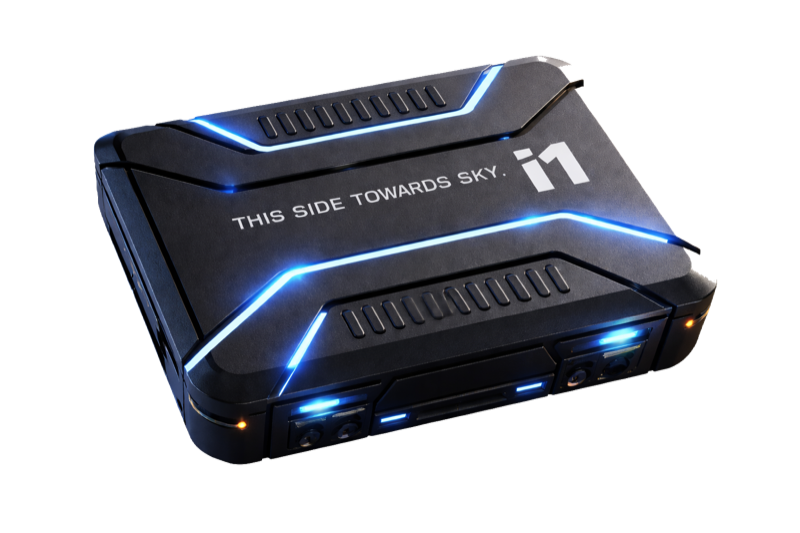
The ELYON i1 is a compact, SIM‑free asset tracker for the iSeries platform. It locates valuables through a crowdsourced network and installs almost anywhere. Read this guide before first use.
Set up in three steps
Your i1 arrives already provisioned to your ELYON tenant. There is nothing to pair, register, or activate.
- Step 1
Power on
Remove the top cover at the marked dismantling point. Slide the toggle switch in the direction indicated. The device beeps once to confirm it is on. Refit the cover.
- Step 2
Install and deploy
Peel the 3M adhesive backing and mount the i1 with the marked face pointing up and unobstructed. Keep it clear of dense metal.
- Step 3
Find it in your tenant
Sign in to the ELYON iSeries platform. The device is already there, listed under the device ID printed on the box. Name it, assign it to an asset, and set a geofence if you want arrival and departure alerts.
In the box
- ELYON i1 tracker
- 1
- 3M foam adhesive pad
- 1
No printed guide ships in the box. Scan the QR code on the packaging for this document.
Specifications
- Battery
- 1100 mAh non-rechargeable lithium
- Working voltage
- 3 V
- Dimensions
- 48 × 38 × 13.7 mm
- Operating temperature
- −20 °C to +60 °C
- Connectivity
- SIM-free crowdsourced location
- Indicator
- Buzzer on power-up
- Installation
- 3M double-sided adhesive
Battery safety
Warning: keep batteries away from children
Swallowing may lead to serious injury or death in 2 hours, due to chemical burns and potential perforation of the oesophagus.
If you suspect your child has swallowed or inserted a battery, immediately call the 24-hour Poison Information Centre for emergency specialist advice.
Do not puncture, crush, incinerate, short-circuit, immerse in water, or attempt to charge the cell. Do not expose the device to temperatures above its rated range. A damaged lithium cell can overheat, leak, or catch fire. The cell is not user-replaceable. Dispose of the device at an approved battery-recycling point.
Troubleshooting
The platform shows no location data
The i1 reports through a crowdsourced network, so the first fix can be delayed. Wait about thirty minutes and refresh. Coverage improves wherever more phones pass nearby.
The device did not beep on power-up
Confirm the toggle is fully seated in the on position. If there is still no tone, the cell may be depleted. Contact support.
The device is not listed in my tenant
Every i1 is provisioned to your tenant before it ships. If the device ID on the box does not appear in your asset list, the unit was misrouted. Send the ID to support and do not attempt to add it manually.
Positions are inaccurate or infrequent
Reposition the device so the marked face points up and away from dense metal. Enclosed metal compartments and vehicle engine bays degrade reception.
Battery life varies with usage. Frequent location reporting and extreme temperatures shorten it. Do not disassemble the device beyond removing the top cover. Improper handling by non-professionals may cause damage.
Support
Get help
Questions about setup, placement, or a device that will not report. Include the device ID from the box in your message.
support@elyonsci.aiRegulatory
FCC compliance statement
This device complies with part 15 of the FCC Rules. Operation is subject to the following two conditions: (1) this device may not cause harmful interference, and (2) this device must accept any interference received, including interference that may cause undesired operation.
Any changes or modifications not expressly approved by the party responsible for compliance could void the user’s authority to operate the equipment.
NOTE: This equipment has been tested and found to comply with the limits for a Class B digital device, pursuant to Part 15 of the FCC Rules. These limits are designed to provide reasonable protection against harmful interference in a residential installation. This equipment generates, uses, and can radiate radio frequency energy and, if not installed and used in accordance with the instructions, may cause harmful interference to radio communications. However, there is no guarantee that interference will not occur in a particular installation.
If this equipment does cause harmful interference to radio or television reception, which can be determined by turning the equipment off and on, the user is encouraged to try to correct the interference by one or more of the following measures:
- Reorient or relocate the receiving antenna.
- Increase the separation between the equipment and receiver.
- Connect the equipment into an outlet on a circuit different from that to which the receiver is connected.
- Consult the dealer or an experienced radio/TV technician for help.
This device has been evaluated to meet general RF exposure requirements. The device can be used in portable exposure conditions without restriction.
International markets
RoHS compliant. WEEE: do not dispose of this device in household waste. Return it to a designated collection point for electrical and electronic equipment. UN38.3 lithium transport documentation available on request.